The Share tab of the import dialog encrypts a folder or the whole collection in your window (AES-256-GCM) and gives you a link, or an encrypted file plus a key. Nothing is uploaded: the key sits after the # in the link, which browsers do not send to servers.
- Anyone holding the whole link can open it. Use a passphrase, or the file with the key sent separately, for anything sensitive.
- Variable values and saved responses are left out unless you tick them. OAuth tokens, cookies and history are never included.
- The recipient sees what is inside before importing, and their own variable values are kept.
- A link carries up to 32 KB; larger selections go as a file.
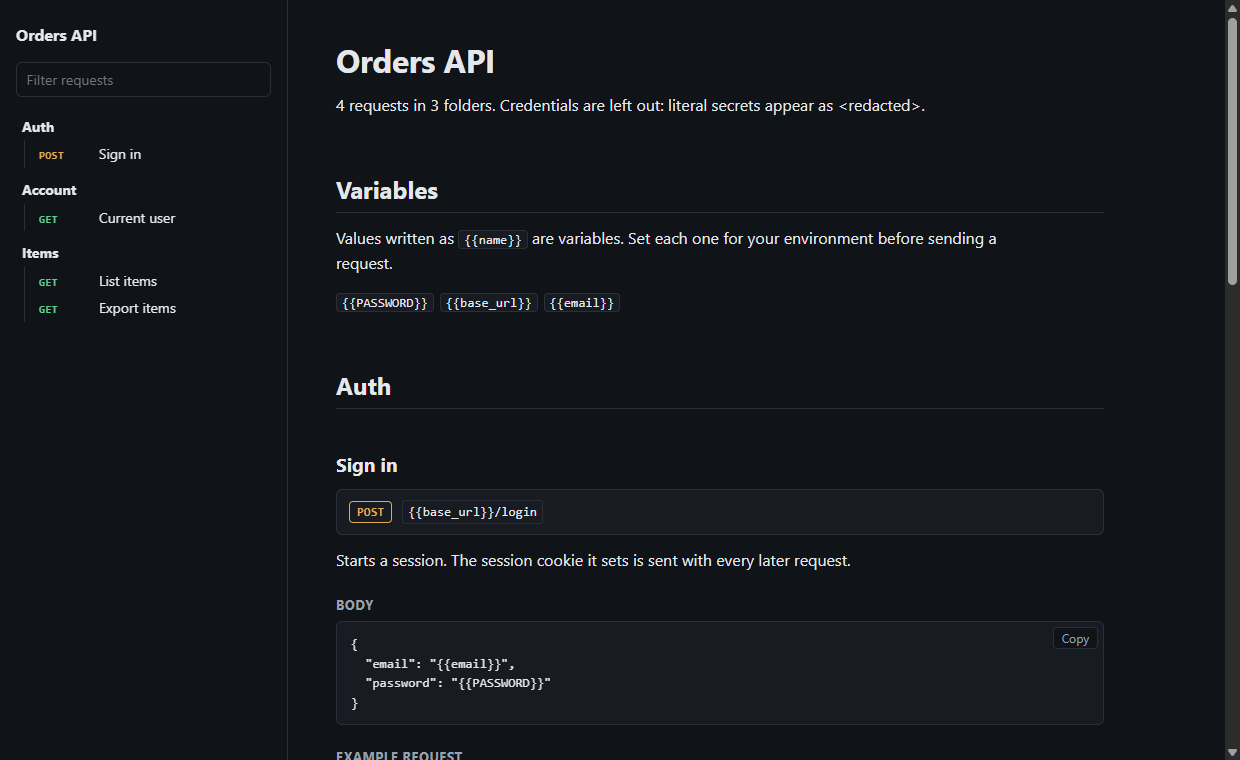
Export → HTML docs (or gostman docs) writes one self-contained documentation page: every request with its description, parameters, headers, body, a curl example and saved examples. Values in auth settings, credential headers and parameters with names such as token or key are shown as <redacted>; other literal secrets in bodies are not detected, so review the page before publishing.
Open in Gostman links
A link can ask Gostman to download a Postman, OpenAPI, Insomnia, HAR, Bruno or Gostman file and import it, for example from a README button:
- Web:
https://gostman.com/web#open=<percent-encoded https address> - Desktop:
gostman://open?url=<percent-encoded https address>(new, and not yet verified on every operating system; prefer the web link when you publish one)
A link never imports anything by itself. Gostman shows the source host and address, downloads only after you choose Download, shows the detected format, and imports only after you choose Import. Only https addresses work, private and internal addresses are refused (including after redirects), and the file goes through the same import path as every import: it only adds data, and scripts are kept but reported. Files are limited to 4 MB in the web version and 10 MB on the desktop. The Share tab can copy the link and a Markdown badge for a collection you host.