Gostman runs in the browser, as a desktop app and as a command line. This page shows how to open or install each one, send a first request and find where your data is kept.
Choose how to run it
- Browser: open gostman.com/web, paste a URL and press Send. There is nothing to install and no account.
- Desktop: download the installer for your system from Install the desktop app. The desktop app reaches local and private addresses and has the settings and features that need the operating system, such as the Git panel and proxy settings.
- Command line: run a collection in a script or a CI pipeline with the single
gostmanbinary. See Install the command line.
Install the desktop app
Download the latest build from the releases page.
| Platform | File | Notes |
|---|---|---|
| Windows | Gostman-windows-amd64.exe |
Installer with Start menu and desktop shortcuts and an uninstaller. |
| Windows | Gostman-windows-amd64-portable.exe |
Single executable, no installation. |
| macOS | Gostman-darwin-universal.dmg |
Intel and Apple Silicon. Drag Gostman to Applications. |
| Linux | Gostman-linux-amd64.deb |
Debian and Ubuntu. Run sudo apt install ./Gostman-linux-amd64.deb. |
| Linux | Gostman-linux-amd64.tar.gz |
Other distributions. Requires GTK 3 and WebKitGTK 4.1. |
The builds are not code-signed yet, so the operating system asks for confirmation the first time:
- Windows: SmartScreen shows "Windows protected your PC". Choose More info, then Run anyway.
- macOS: right-click Gostman in Applications, choose Open, then confirm.
Windows needs the WebView2 runtime, which ships with Windows 10 and 11. The installer fetches it when it is missing.
Install the command line
Each release includes gostman-cli-<os>-<arch> archives with a single gostman binary. With Go installed, you can also build it from source:
go install github.com/kunalgoesbyken/gostman/cmd/gostman@latest
On macOS the binary is not notarized. Run xattr -d com.apple.quarantine gostman once. The command line reference lists every command.
Send your first request
- Choose a method, type a URL and press Send.
- Read the response below the request: Body in Pretty or Raw, Headers and Cookies, with the status, time and size beside them.
- Press Save to keep the request in your collection, or Code to copy it as cURL, JavaScript, Python, Go, PHP or Java.
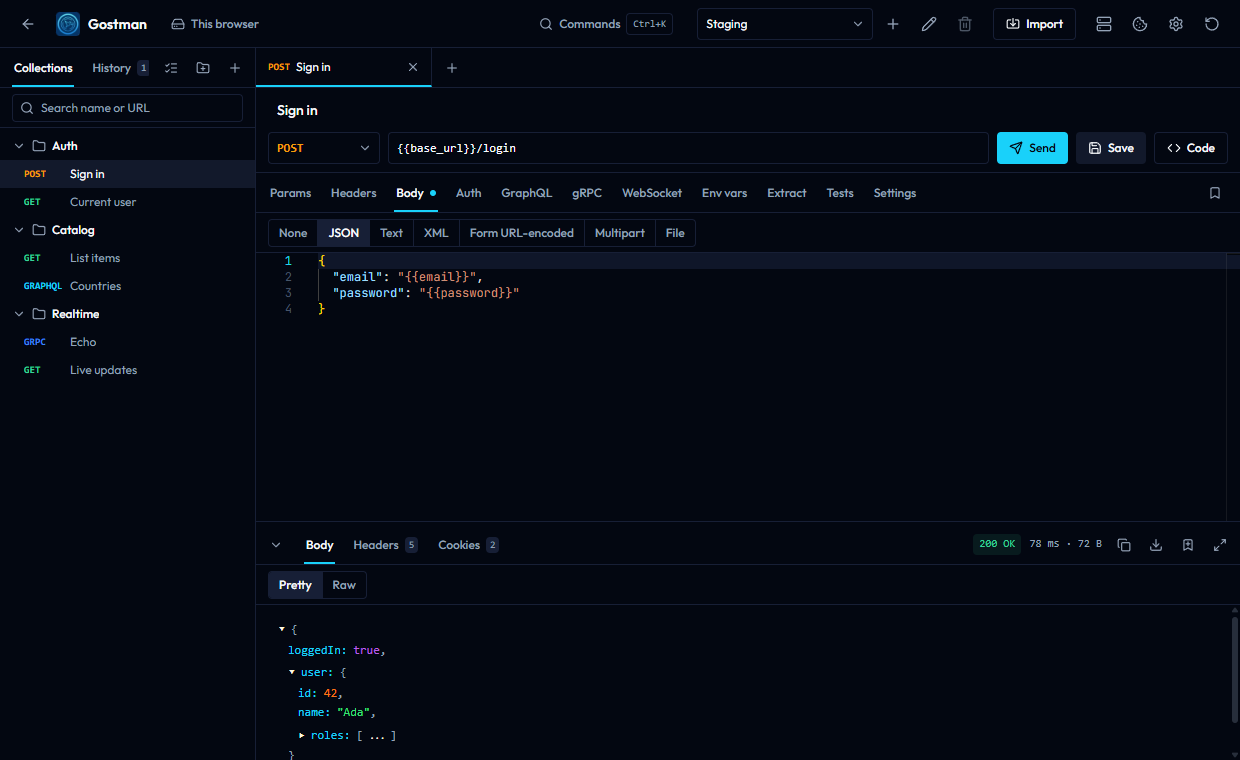
From the command line, the same request is:
gostman send GET https://example.com -H 'Accept: text/html'
The pages on requests and responses and protocols cover everything the editor can do.
Where your data is kept
Gostman has no accounts and no cloud sync. Requests, collections and environments stay on your device.
- Desktop: in the app data folder, or as plain YAML files in any folder you open with Open folder. See Folders, mock server and capture.
- Web: in your browser's local storage.
Limits of the web version
Browsers cannot call arbitrary APIs directly, so the web version relays requests through a small proxy. Two consequences:
- The hosted proxy cannot reach
localhostor private network addresses. Use the desktop app for local APIs. - Proxy, CA certificate and client certificate settings exist only in the desktop app.
- A gRPC stream is collected and shown when it ends. Messages for a client stream are written up front as a JSON array.
- Responses larger than 3 MB are truncated. The desktop app reads up to 50 MB.
Next steps
- What is free in Gostman
- Variables and folder settings to organise a collection
- Gostman in CI to run it in a pipeline
- Use from a coding agent to let Claude Code, Codex or Cursor call your API